
Ask your payments anything.
Ask questions in plain English and get answers with the numbers behind them, from approvals to payouts.
- Plain-English answers
- Linked to the data
- Respects team permissions
Answers, not dashboards
Ask PayServ reads your payments, payouts and disputes so you do not have to.
Plain English
Ask the way you would ask a colleague.
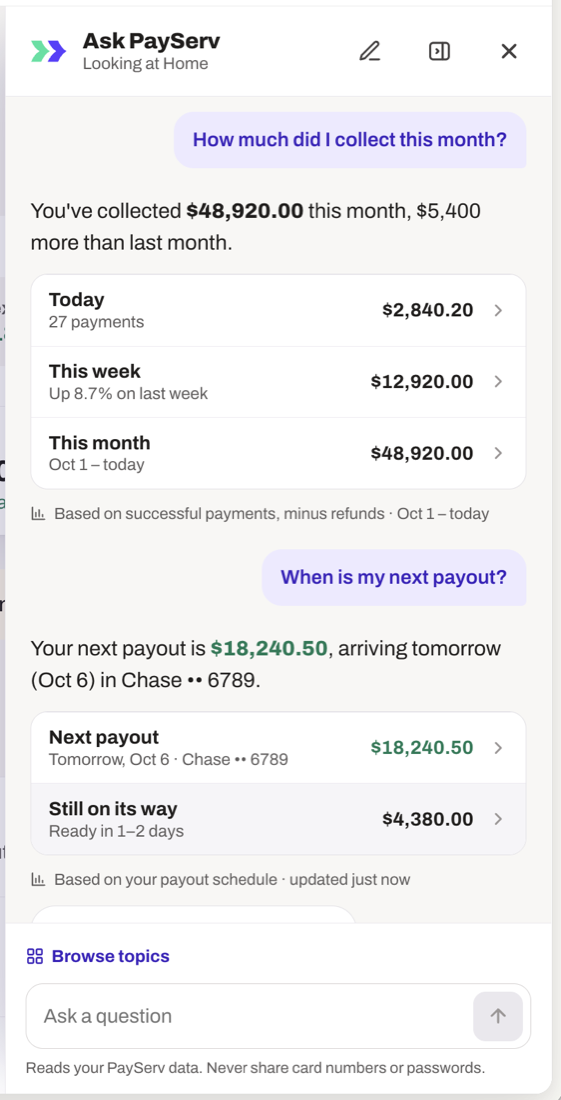
Shows the numbers
Every answer links to the payments behind it.
Spots changes
Highlights drops in approvals or spikes in disputes.
Explains declines
Why a payment failed, in plain words.
Respects roles
People only see what their role allows.
Included
No extra cost on any account.
Questions you can ask
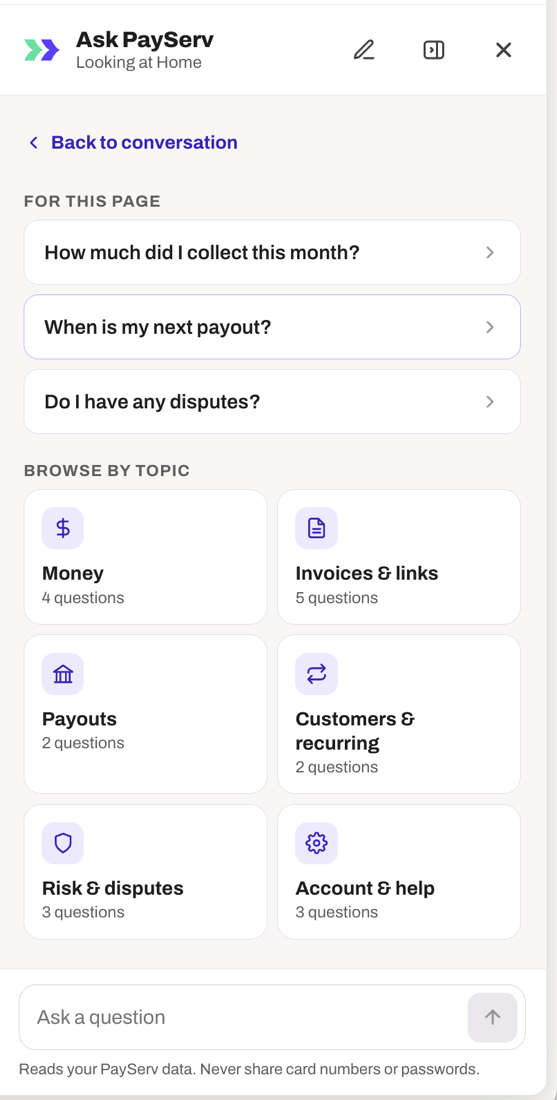
Ask PayServ is your AI payments assistant inside the PayServ dashboard. Pick a topic or type your own question. Here are examples of what teams ask every day.
Money
- How much did I collect this month?
- How does this week compare with last week?
- What was my revenue after refunds?
Invoices and payment links
- Which invoices are overdue?
- Which payment link was used most this week?
- Who has not paid yet?
Payouts
- When is my next payout?
- Why is my payout delayed?
- Which payments are in this payout?
Customers and recurring billing
- Who are my top customers this quarter?
- Which subscriptions failed to renew?
- Which customers are at risk of churn?
Risk and disputes
- Do I have any disputes?
- When is my next dispute deadline?
- Why was this payment declined?
Account and help
- How do I add a team member?
- How do I change my bank account?
- Where can I download my statements?
Example questions. Ask PayServ answers from your own PayServ account data and follows each team member's permissions. It never needs card numbers or passwords.
How it works
- 1
Open Ask PayServ
From any page in your dashboard.
- 2
Ask a question
About payments, payouts, customers or disputes.
- 3
Act on it
Open the payments behind the answer.
Works well with
Questions
What is Ask PayServ?
Ask PayServ is an AI assistant built into your PayServ dashboard. You ask a question in plain English, such as how much you collected this month or when your next payout arrives, and it answers using your own payment data.
What can I ask?
Questions about collected revenue, approvals and declines, payouts, refunds, invoices, payment links, customers, subscriptions and disputes. You can also ask how to do things in your account, like changing a bank account or adding a team member.
Does Ask PayServ show where its numbers come from?
Yes. Answers show the figures and a short note on what they are based on, such as successful payments minus refunds for a date range, and link to the payments behind them.
Can it change anything in my account?
No. Ask PayServ answers questions and links to the data. You take actions yourself.
Is my data private and secure?
Yes. Ask PayServ only uses your own account data and follows your team permissions, so people see only what their role allows. Never share card numbers or passwords in the chat.
Does Ask PayServ cost extra?
No. It is included with your PayServ account.
Where do I find Ask PayServ?
Use the Ask PayServ button on any page of your dashboard. It also suggests questions relevant to the page you are on.